Create Certificate Template for VMware Services
November 28, 2025 | ADCS, Certificate Services, Certificate Template, Homelab, Microsoft, VCF, VMware | No Comments
Greetings, this time we are going to be creating a Certificate Template for VMware services.
This is based on the following article:
Creating a Microsoft Certificate Authority Template for SSL certificate creation in vSphere
Open Certificate Authority

Select Certificate Authority
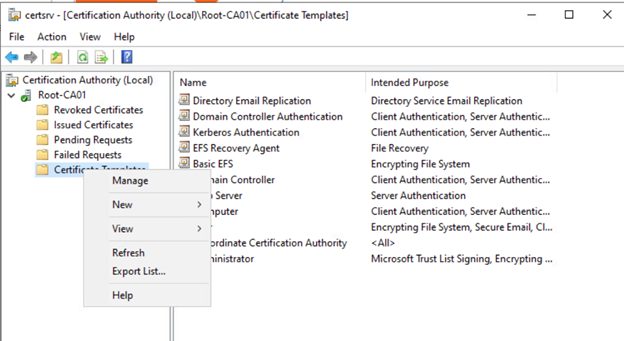
Expand Root-CA01, then right-click Certificate Templates and select Manage

Right-click Web Server and select Duplicate Template
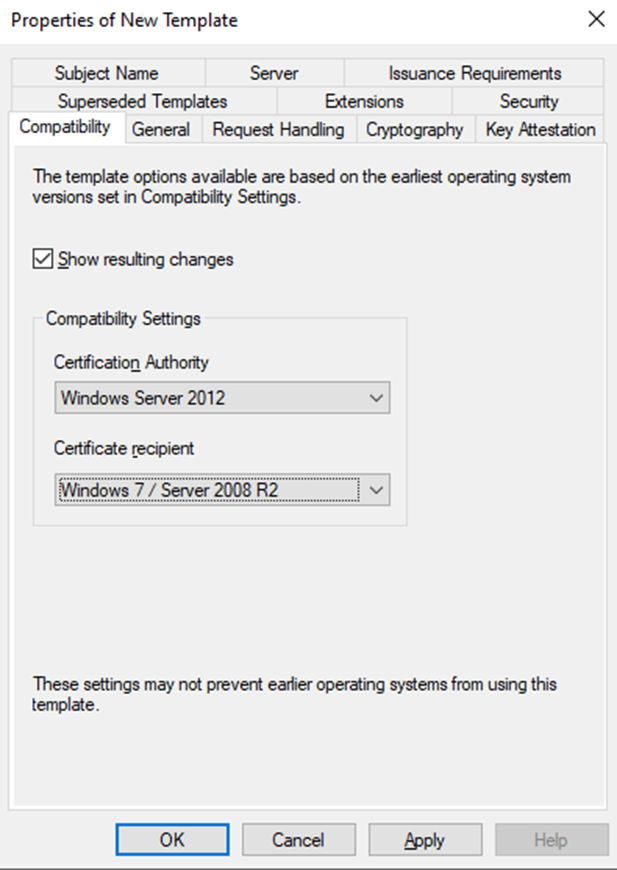
Change these settings to match the above, CA as 2012 and Recipient as 7/2008 R2
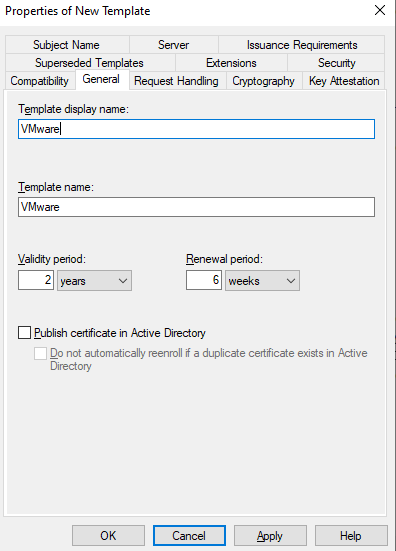
On the General tab, change the Template display name to whatever you want. I am using VMware
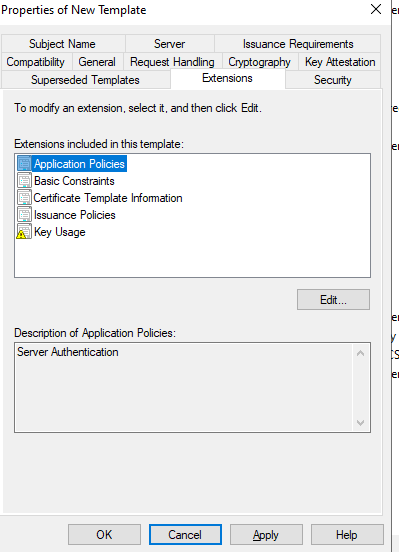
On the Extensions tab, make sure Application Policies is selected and select Edit
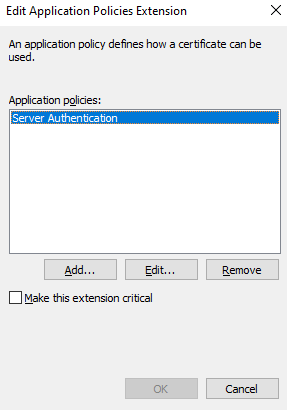
Select Server Authentication and select Remove
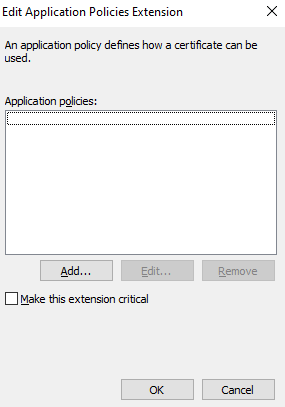
Select OK
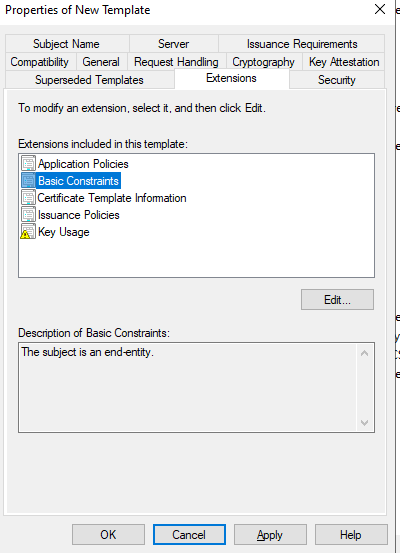
Select Basic Constraints and select Edit
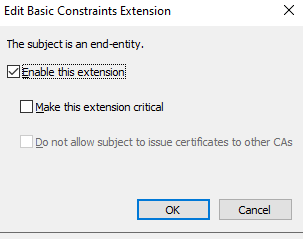
Check Enable this extension and select OK
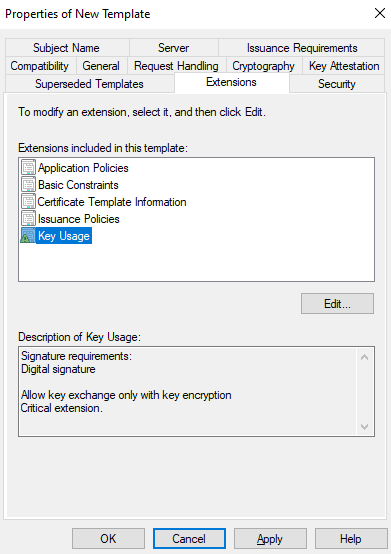
Select Key Usage and Select Edit
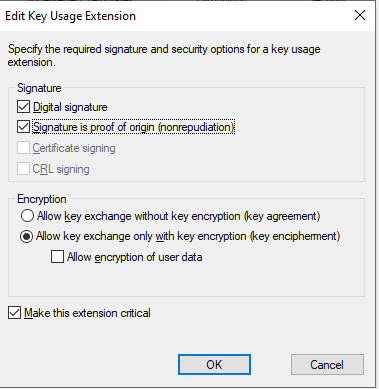
Check the Signature is proof of origin (nonrepudiation) and leave the rest as default. Select OK

Go to the Subject Name tab and make sure Supply in the request is selected. Select OK.
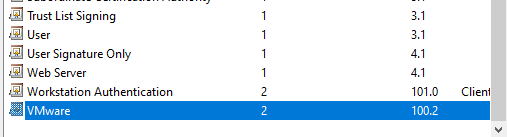
Now that the new VMware certificate template exists. Close this window
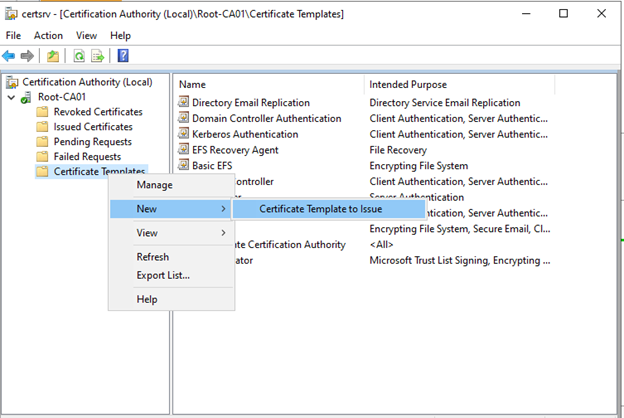
Back on the main CA window, right-click Certificate Template, hover over New, and select Certificate Template to issue

Scroll down until you see your template. Click it and select OK

You now have the VMware certificate available to issue as needed. Enjoy and have a good day.
Certificate Template, Home Lab, Homelab, Microsoft, VCF, VMware, WIndows Server